|
By: Paul S Cilwa |
Posted: 10/13/2010
Updated: 10/13/2010 |
|
Page Views: 1,395 |
| Hashtags: #NatalAvenueHouse #DishNetwork |
| Blog Entry posted October 13, 2010, in which we switch from cable to satellite TV. |
| Estimated reading time: 8 minute(s) (1675 words) |
As is typical with these things, I was told the installation guy
would show up "between 8 and noon". The only thing less precise than
the arrival time of installation and repair people is the Second
Coming of Christ. Nevertheless, I told my boss I would be late and
set my alarm for 8 AM.
He showed up at 10:30, right in the middle of the estimate.
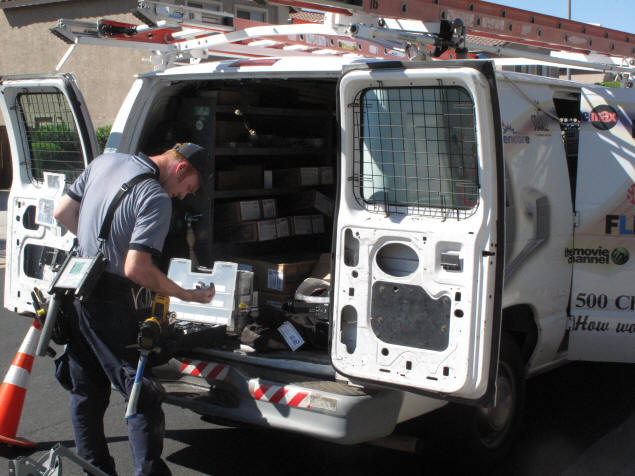
His name was Keith, and he has been doing this job for a year. He
was casually (not coldly) professional during his visit, which I
appreciated.
The first step in the job was to determine where the cables going
into the house are located. They turned out to be in a junction box
located just beneath the electrical circuit breakers on the right
side of the house, near the front.
The second step was to find a place to locate the dish antenna
itself, somewhere that the cable from it could be run to meet the
cable junction box. He looked in various locations, and considered
running the cable various ways, including through our
attic—something I hadn't even realized we had. (It turned out to be
too small, and to not run all the way across the house, thanks to
our vaulted ceilings, to be of any help in this enterprise.) So
Keith finally settled on the back roof, just above the back porch.
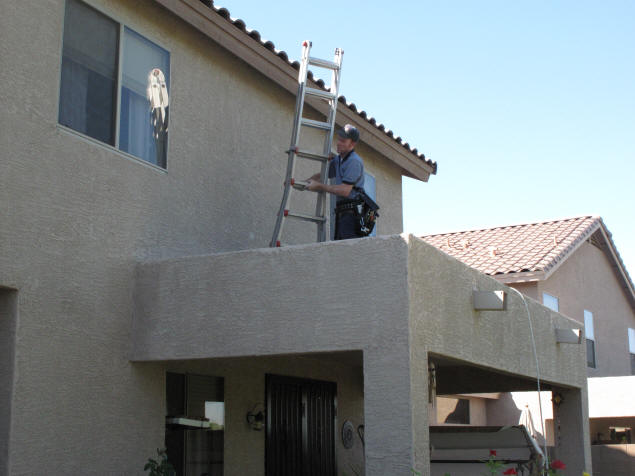
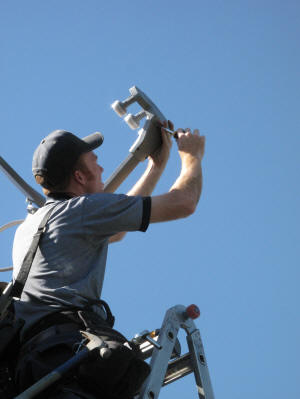 Assembling
the dish and aligning it to point to the satellite was quickly done,
thanks to a simple level and compass.
Assembling
the dish and aligning it to point to the satellite was quickly done,
thanks to a simple level and compass.
Unlike GPS satellites, TV signal satellites are all located in
geostationary orbits over the equator. That means they are
exactly 26,199 miles above the surface of the earth, where they
remain over the same spot on the ground. As the Earth rotates, the
satellite orbits, hovering over the same place. From the ground,
that means the satellite looks like an unmoving star, like the Pole
Star, that remains in the same spot of sky all night long (and all
day long, if one could see through the blue of the daylight sky).
You probably know that the stars whirl around the Pole Star
throughout the night. A time exposure shows this; the stars form
"trails" showing their passage through the sky. But if a
geostationary satellite happens to
 be
in the picture, it doesn't move, as shown here (circled). That's why
a Dish antenna can be affixed to a house and aimed at a spot in the
sky, and always pick up signals from the appointed satellite.
be
in the picture, it doesn't move, as shown here (circled). That's why
a Dish antenna can be affixed to a house and aimed at a spot in the
sky, and always pick up signals from the appointed satellite.
As Keith was doing his job, I kept up a running commentary on
Facebook. One friend from Florida complained that, each time a storm
came along, the TV picture would fade and he held a lottery to see
who would go outside and readjust the antenna. I passed this on to
Keith.
"That shouldn't happen," he said, flatly. "If the mounting is
firm and undamaged, the antenna can't move. If it is moving,
it's defective; and your friend should make the Dish technician come
back and do the job right."
Keith did add a warning about "rain fade", however. "Raindrops
are about the same width as the satellite signal," he explained. "So
they can absorb some of the signal. In a heavy rain it's possible
for the signal to fade. However, it should clear up as soon as the
rain stops." Here in Arizona, rain is so rare that when it does
fall, everyone runs to the window to watch it. So we may never
notice the rain fade phenomenon.
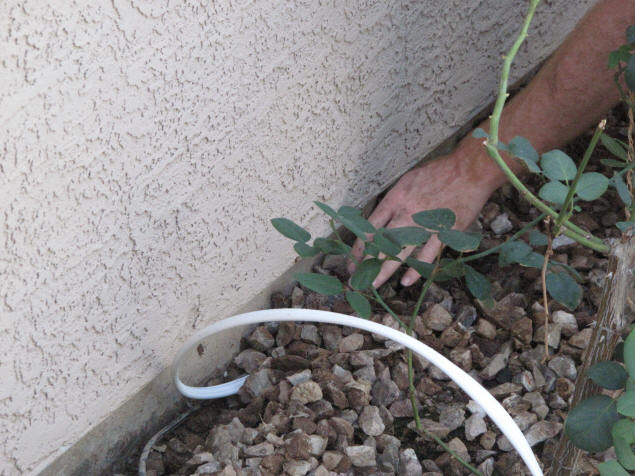
Using the claw of his hammer, Keith dug a small trench alongside
the house and ran the cable into it, then covered it back up. It
could have been tedious work, but Keith never showed a sign of
impatience. Rather, it was like watching an artist who takes pride
in his work.
I tried to keep out of Keith's way and keep my questions to a
minimum. But even Milton, the cat, seemed fascinated by the
procedure.

Most rooms in our house have cable connections; and the wires for
each come to the cable junction box. This makes it possible to
supply each room with a cable signal from a different provider.
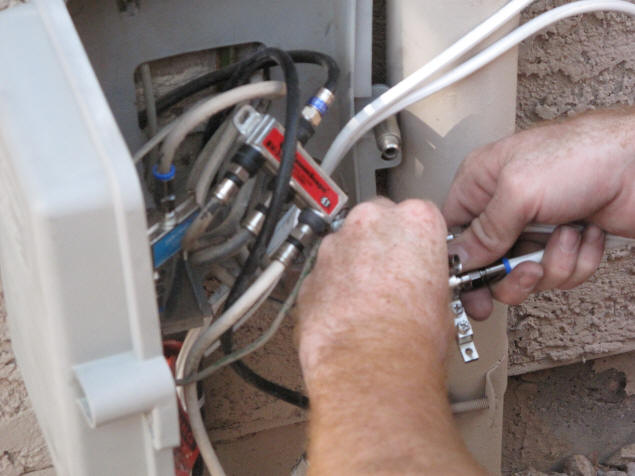
This works well for us because we had decided to keep Cox internet
service. Dish offers internet service, but requests for data take so
long to make the trip to the satellite and back, that it takes
quite a while to start loading a page. It also costs more. So we
left the Cox signal attached to the line going to Michael's and my
office. We won't be able to attach a TV in there as well, but that's
okay—we've never had TV in the offices, anyway. (Or wanted it!)
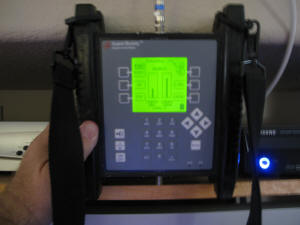 There
were a lot of cables and they weren't identified. So, after asking
and getting my permission, Keith called me on my cell phone and,
while I held a monitor device in each room, he tried each cable
until the monitor indicated the presence of the satellite signal.
This job, obviously, would have taken a lot longer if I had not
helped.
There
were a lot of cables and they weren't identified. So, after asking
and getting my permission, Keith called me on my cell phone and,
while I held a monitor device in each room, he tried each cable
until the monitor indicated the presence of the satellite signal.
This job, obviously, would have taken a lot longer if I had not
helped.
The outside work was now done. Keith helped me pull out the big
TV from its nook in the family room and we disconnected the COX
digital video recorder and replaced it with the Dish equivalent, the
VIP722.
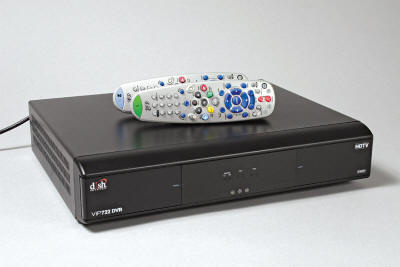
Like the Cox DVR, the Dish DVR is primarily a tuner. That means,
it selects, out of the hundreds of signals reaching it from the
satellite, the particular channel we want to watch at any particular
time.
The Cox DVR was able to present one show onscreen, while
recording two others. The Dish device can record three shows
while displaying a third, with one caveat I'll explain in a moment.
Since with Cox we did not subscribe to any premium channels (like
HBO), we were able to plug most of our TV sets directly into the
cable connectors in the walls. Modern TVs have a "cable" setting
that accesses the channels directly, and you only need a cable box
for an older set, or if, like us, you want DVR recording capability.
But with satellite, you need a decoder for every TV. Dish
has attempted to minimize the resulting clutter by building two
decoders into each of their boxes. Thus, the VIP722 actually
provides separate programming for each of two sets that are,
presumably, located in different rooms.
Recording is onto a built-in hard disk, which can store up to 55
hours of high-def programming, or about 255 hours of standard
programming. Either is far more than we've ever needed in the past.
In testing out the unit, it was instantly clear that the Dish
hi-def picture was much sharper than we ever got from Cox.
How are they controlled? The unit comes with two remote controls,
one marked with a green "1" and the other with a blue "2". The green
control is a regular infrared control, similar to any other, that
must be used within the room containing the VIP722. The blue
control, which looks the same, actually communicates with the
VIP722 by radio waves which can travel through walls.
The signal for the second TV is passed back through the cable
to the other TV set, which must be set to antenna (not
cable) channel 60.
It all sounds more complicated than it is. The reality is, once
the TVs are set up, it all just works without further fuss. Programs
can be set to record from and played back to either set.
The caveat I mentioned earlier is that if you want to record
four shows that are being broadcast at the same time, the second
set will have to watch the fourth show as it records. This will not
be a problem for us, for the following reasons: 1) We don't actually
yet have a second set attached to this tuner; and 2) We've never
wanted to record more than two shows at once anyway. Thanks to DVDs,
our broadcast and cable TV watching has been reduced, not increased,
over the past few years.
The mythical "second set" in this case will someday reside in our
loft. If we get a new, larger, flat-screen TV for the family room,
we'll probably put the projection TV that is now in there, into the
loft for Zach to play games on.
That leaves the other two sets, Jenny's and Zachary's. Jenny
ordered a simple decoder box for them, without additional recording
capabilities. It works similarly; Jenny gets the box, and Zach gets
the through-the-wall remote.
So I said goodbye to Keith (after feeding him some lasagna; I was
starving but he's thin as a rail and said he's lost weight doing
this job, not a surprise considering the physical aspects of it) and
went to my office…only to discover that the Internet, which we had
made sure was working, was down. Jenny called their help desk and
chewed them a new one for turning off the Internet when we
specifically said we intended to keep that. We were told it would be
a 45 minute wait before a technician could help us.
While waiting, I turned off the router for about five minutes,
plus all the computers. Turned it back on, and the 'puters, and
Voil?! The Internet was back up.
As my friend, Phil, who used to work at a Cox help desk, says he
and his co-workers used to say: "We're not just dicks. We're Cox!"