|
By: Paul S Cilwa |
Posted: 9/30/2009 |
|
Page Views: 1,281 |
| Hashtags: #Computers #Windows7 |
| I decide to install the latest version of Microsoft Windows because I was too lazy to slash my wrists. |
| Estimated reading time: 8 minute(s) (1699 words) |
I come by my loyalty to Microsoft products honestly. Working with Windows and
Office has provided me with a pretty good income for two decades, as well as
making me a published author. Even when my fourth book, on writing Windows
ActiveX controls, failed because ActiveX didn't, at that stage, actually work,
I maintained steadfast. I supported Windows 98, Windows 98 SE, Windows ME,
Windows NT, Windows 2000, and chortled when Windows XP finally showed it
was possible for Microsoft to create a stable, efficient, reliable and
feature-rich environment for home and office computers.
And I was, at first, tickled when my new computer from eMachines came
pre-loaded with Windows Vista.
Vista was so pretty! Yet, as time went on, it became clear that
Microsoft had jumped the shark with this new operating system. They had
apparently re-written things that had previously worked just fine.
After I installed my venerable programs, one of the first things I was
dismayed to notice was that the Microsoft Office shortcuts on the menu no longer
worked. It took months of research to discover this was a side-effect of
installing one of my non-Microsoft programs that included what's called a "shell
extension". If you have no idea what that means, don't feel bad. It's a
programming trick used by many applications and in some cases, no one knows why,
it can break the new method Vista uses of accessing menu shortcuts. So, I had to
remove the program.
Then there was the matter of Nero. Nero is a set of applications devoted to
copying and burning CDs and DVDs. It costs about $70, and I had purchased it a
year or so earlier. It ran perfectly on Windows XP, but wouldn't run at all on
Windows Vista, not even in the new "XP Compatibility Mode". Vista has a new
feature where, whenever there's a computer problem, it uses the Internet to find
and report why, and a solution if there is one. In this case, the recommended
"solution" was for me to buy the newer version of Nero…for another $70.
Finally, there has been the ongoing annoyance of folders refusing to move
from one drive to another.
I have a lot of music I've ripped from my extensive CD collection which are
stored as MP3s. I try to keep accurate tags in those MP3s with information such
as the composer of the song, conductor of the orchestra, and so on. While I'm
working on an album, I move it to my flash drive (one of those finger-sized,
portable, solid-state memory devices) so I can take it to work to listen to, or
to the library, or whatever. When I'm done with the album, I move it back to my
hard drive.
Technically, "move" means, copy the folder, copy the files and any
sub-folders in that folder, and then delete the originals. This has worked
perfectly and consistently since at least Windows 2.1.
But in Windows Vista, it doesn't always work. If the source and destination
media are different (like my hard drive and my flash drive), and if there are
any hidden, system files in the folder (there often are, invisibly to most
users), then the source folder remains behind and must be manually deleted.
Granted, this is not a problem that many users would experience or notice.
But it bothers the hell out of me.
And these and many other problems have given Vista a bad enough reputation
that not many people, and almost no corporations, switched to it. I am still
using XP at work and so is my son. This has put Microsoft in the unenviable
position of having to convince people that their new operating system, Windows
7, will be reliable without actually admitting that Windows Vista isn't.
And so, and so, I decided to take advantage of Microsoft's
try-before-you-buy offer on Windows 7. That shows good faith on their part,
right? Supposedly, this pre-release (it goes on sale in October) version is the
same version shipped to manufacturers for pre-installation on their new
computers being built for sale in October and later. So it's supposed to
be ready to go.
I went to their site and downloaded a DVD image, and then, following their
directions, attempted to burn the image onto a DVD to create the installation
disk. Their directions failed, because they assumed I had an image-burning
program on my computer that I did not. This would be a show-stopper for most
users, but since I'm a software developer by trade I simply used a different
DVD burning tool (my new, $70 copy of Nero) to create the startup disk.
Okay, so now I had an official Windows 7 installation disk in the drive, and
it's autorun feature started the Windows 7 installation, which appeared as a
somewhat diffident dialog box, quite similar to the Windows Vista installation.
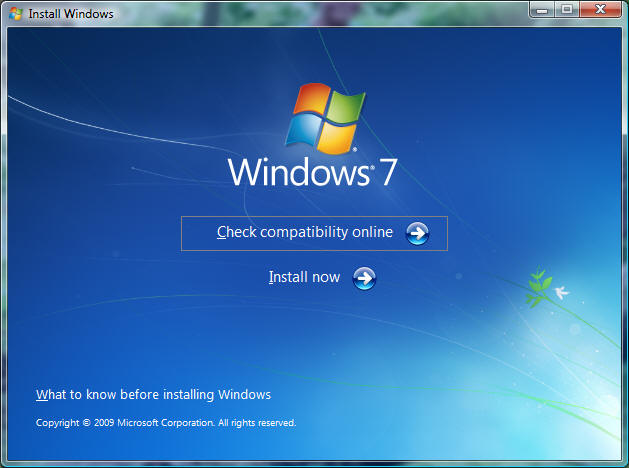
Since there was a choice of "check compatibility online" I decided
to go ahead and do that as my first step. I was somewhat surprised
to find that the link opened up a web page (not a built-in feature)
from which I had to download and install a separate program to do
this compatibility checking. But I did it.
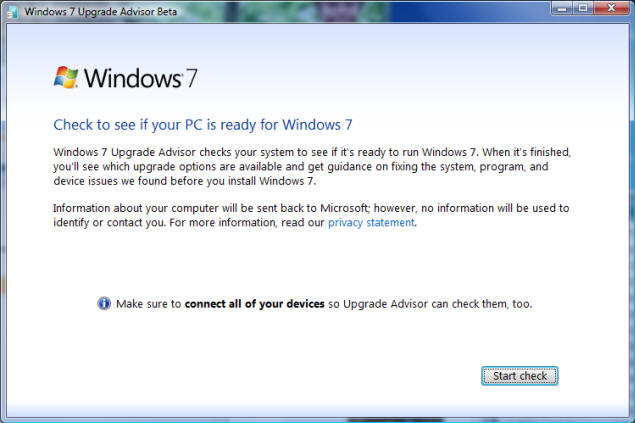
I clicked "Start Check" and after about 20 minutes the Update
Advisor announced that I was good to go.
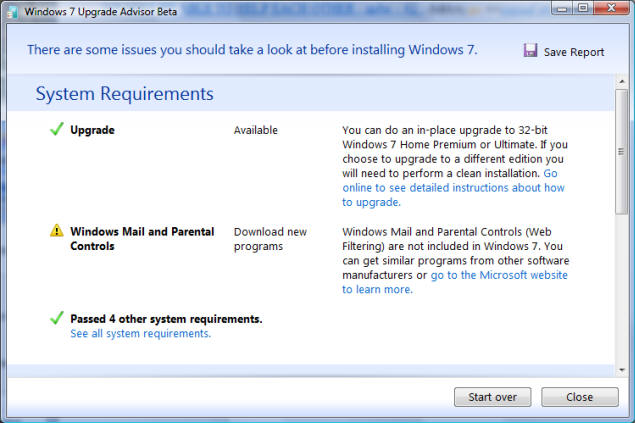
Specifically significant is that I was told I could upgrade. That
means, I would not have to re-install all my software after putting
in the new operating system. It's sort of equivalent to being able
to use your old furniture in your new home.
So I ran the install program again, this time clicking the "Install now"
link.
From then on, of course, I have no screen shots to share since there's no way
to capture them while a new operating system is being installed. Suffice it to
say, though, that Windows 7 Install took over a half-hour to copy files to my
hard disk from the DVD, before abruptly informing me that it couldn't do
an upgrade after all, and I would have to do a "clean install" (throw out all my
old furniture, or at the least give it to Goodwill) and then reinstall my
software (go to Goodwill and buy it back).
At least, the installation program was kind enough to back out all its
changes…or so it said.
But when I rebooted the machine, my McAfee Security Suite wouldn't work, and
trying to re-install that failed, and also somehow the Java plug-in for
the browser was damaged so that I couldn't view most web pages, including the
one I needed to reinstall McAfee. Doing a System Restore should have fixed that,
but it didn't.
I was in computer limbo.
I was going to have to do a clean install of something. I had the
choice, of course, of doing a system recovery to the original, out-of-the-box
installation of Windows Vista that was on my computer when I bought it. The
recovery is stored in an otherwise inaccessible partition on the hard disk that
came with the computer where not even the most pernicious of viruses could mess
with it.
But if I was going to do a clean install anyway, why not go ahead and try
Windows 7? So I started up the installation again and this time told it to do a
clean install.
An hour later, the installation told me that "files are corrupted" and it
would have to abort.
So I gave up on Windows 7, and decided to return to the system-recovery copy
of Windows Vista.
Which had, somehow, become damaged even though that's not supposed to be
possible.
At this point my son offered to let me use his disk of Windows Vista,
which came with his computer. It was the same version as mine, so I saw
no harm in it. However, after installing it—and it did install smoothly—it
warned me that, according to Microsoft Windows Advantage (a
euphemistically-named tool that gives all the advantage to Microsoft and none to
the user), I "might" have a counterfeit copy of Windows Vista. And on this
basis, it refused to give me any more system updates—you know, the patches
Microsoft provides to fix things that shouldn't have been broken in the first
place.
So now I have a very expensive, and rather large, paperweight on my desk.
After we move, and unpack, I will take my venerable Windows XP installation disk
out of its box and use it to do a clean install so I can at least use my
computer again.
And I vow to never, ever, ever try another Microsoft operating system
until the day I die.
And don't get me started on the latest update to Internet Explorer, which
also has jumped the shark.
Oh, and Microsoft Office 2007. (2003 was perfect.)
What's the problem? Well, Microsoft used to be run by programmers. Now it's
run by accountants, and much of the programming has been outsourced to India.
Along with their customer loyalty.
Update
So, after Windows 7, was Windows 8. By that time, Windows 7 was into its first service pack update,
and most of the earlier problems had been fixed. But Windows 8 was horrible.
Then came Windows 10. (There never was a Windows 9. We can probably be grateful.) It is
very pretty, to be sure…but it has more bugs than a Florida picnic.
So, when I built my latest computer…it was Windows 7, and not Windows 10, that I installed on it.