|
By: Paul S Cilwa |
Posted: 4/5/2026 |
|
Page Views: 670 |
| Hashtags: #DigitalPhotography |
| What does 480i or 1080p mean? How we measure and improve photo resolution. |
| Estimated reading time: 8 minute(s) (1836 words) |

Pixels: The Atoms of Digital Images
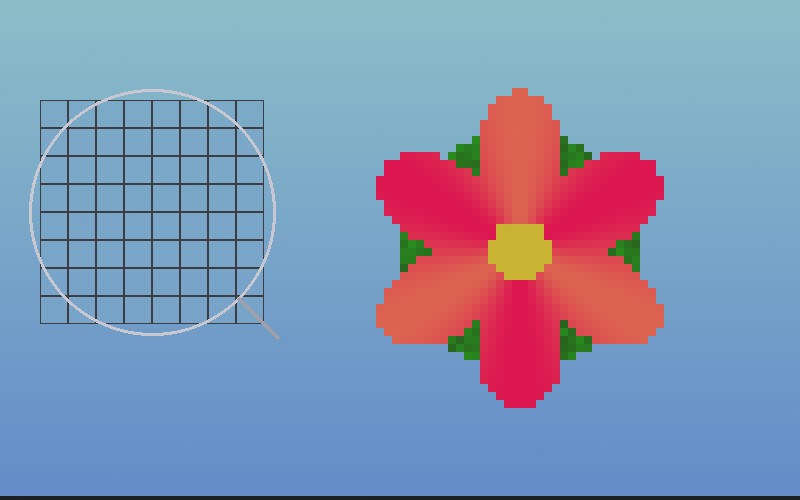
A digital image is made of tiny colored squares called
pixels—short for "picture elements." Each pixel is
exactly one color. Pack enough of them together and your brain
connects them into a photo of Grandma, or a sunset, or your cat
doing something regrettable.
The resolution of an image is simply how many pixels it
contains, expressed as width times height. A 1920×1080
image is 1,920 pixels wide and 1,080 pixels tall. Multiply
those together and you get about 2.07 million pixels—roughly
2 megapixels.
That's all resolution is. It's not "quality." It's not
"sharpness." It's a count of how many tiny colored squares you
have to work with. A blurry photo taken at high resolution is
still blurry—it just has more pixels dedicated to being
blurry.
Resolution vs. DPI: The Confusion That Won't Die
Here's where people get tangled up. Resolution is
absolute—your image has a fixed number of pixels no
matter what you do with it. DPI (dots per inch) or PPI (pixels
per inch) is contextual—it describes how densely
those pixels are packed when you display or print the image.
Think of it like a bag of marbles. The number of marbles in the
bag is your resolution. DPI is how tightly you arrange them on
a table. Spread them out and each marble covers more space but
you can see gaps between them. Pack them tight and you get a
smooth, dense surface—but the surface is physically
smaller.
An image file doesn't inherently "have" a DPI. It has pixels.
DPI only matters when you go to print or display those pixels
at a particular physical size. We'll come back to this when we
talk about printing.
What Those TV Numbers Mean
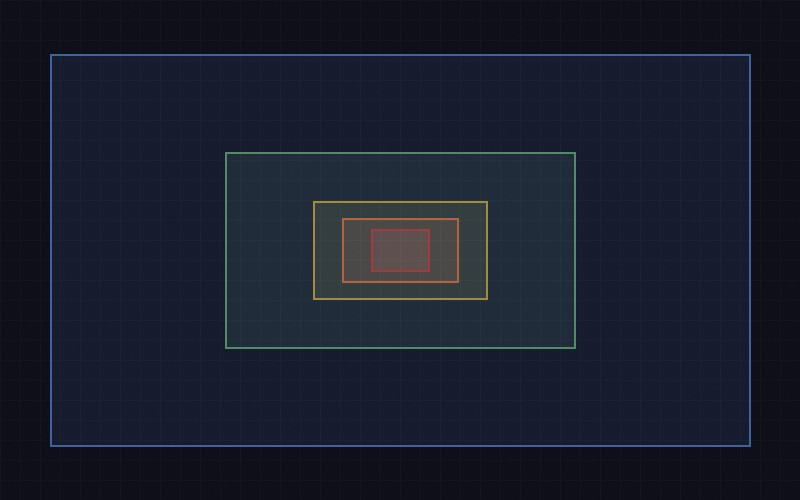
When you see numbers like 480p, 1080i, or 4K thrown around,
they're all describing resolution—but in a shorthand that
drops half the information.
The number refers to the height of the image in pixels.
So 1080p means 1,080 pixels tall (and, at the standard 16:9
aspect ratio, 1,920 pixels wide). Here's the lineup:
- 480 — 640×480. Old standard-definition
TV. About 0.3 megapixels.
- 720 — 1280×720. The entry point for
"HD." About 0.9 megapixels.
- 1080 — 1920×1080. "Full HD." About 2
megapixels. Still the most common format for streaming.
- 4K — 3840×2160. Four times the pixels
of 1080. About 8.3 megapixels. (The "4K" refers to the
width being roughly 4,000 pixels—just to keep
things confusing.)
- 8K — 7680×4320. Four times 4K. About
33 megapixels. Currently overkill for most humans, but
impressive on a spec sheet.
And that letter at the end? The p stands for
progressive, meaning every frame draws every line of
the image, top to bottom. The i stands for
interlaced, an older trick where each frame draws only
the odd-numbered lines or the even-numbered lines, alternating.
Your brain fills in the gaps. It was clever engineering for the
CRT era, but progressive scan looks noticeably better on modern
flat screens. That's why 1080p looks sharper than 1080i even
though they have the same resolution on paper.
Megapixels: More Isn't Always More
A megapixel is one million pixels. So a 12-megapixel
camera produces images with roughly 12 million pixels, typically
arranged as 4000×3000.
Camera manufacturers love the megapixel race because big numbers
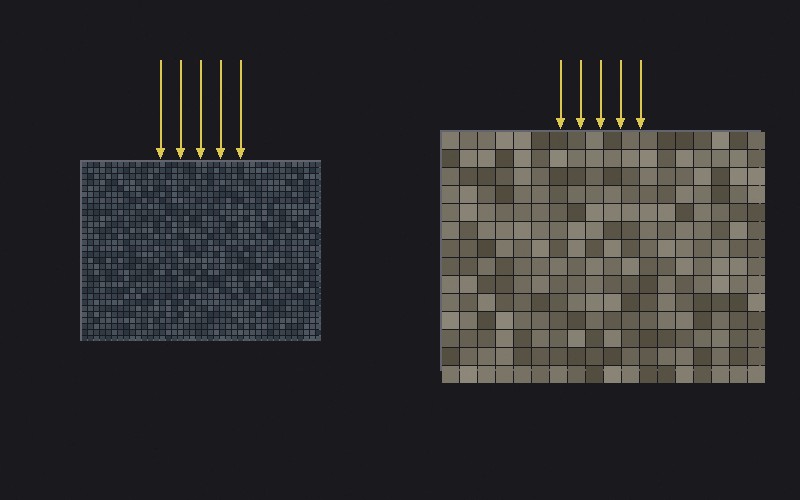
sell cameras. But here's the thing: the size of each pixel
on the sensor matters at least as much as how many there are.
A camera sensor is a physical object, and it can only be so
big—especially in a phone. Cram 108 million pixels onto a
sensor the size of your pinky nail and each pixel is tiny.
Tiny pixels collect less light, which means more electronic
noise, which means grainier photos, especially in low light.
Meanwhile, a full-frame DSLR with "only" 24 megapixels has fat,
happy pixels that soak up photons like sponges. The result?
Cleaner images with better color, better dynamic range, and
less noise.
So when someone brags about their phone's 200-megapixel camera,
remember: a 24-megapixel camera with a larger sensor will often
produce a better-looking photo. The megapixel count tells
you the resolution. It tells you nothing about the quality of
those pixels.
Printing: Where DPI Finally Matters
Remember how I said DPI only matters in context? Printing is
that context. When you send a photo to a printer, DPI tells the
printer how many pixels to squeeze into each inch of paper.
The standard for high-quality photographic printing is
300 DPI. At that density, individual pixels are too small
for the human eye to distinguish at normal viewing distance.
Your print looks smooth and continuous, like a real
photograph.
This gives you a simple formula. Take your image's pixel
dimensions and divide by 300 to get the maximum print size in
inches at full quality:
- A 3000×2000 image prints beautifully at
10"×6.7"
- A 6000×4000 image (24 megapixels) gives you a
gorgeous 20"×13.3" print
- A 1920×1080 screenshot? A measly 6.4"×3.6"
before it starts looking pixelated
You can print at lower DPI—150 DPI is acceptable
for something viewed from across the room, like a poster.
Billboard companies print at 15-30 DPI because nobody's
pressing their nose against a billboard. (And if they are,
they have bigger problems than print resolution.)
Digital Zoom: The Lie in Your Pocket
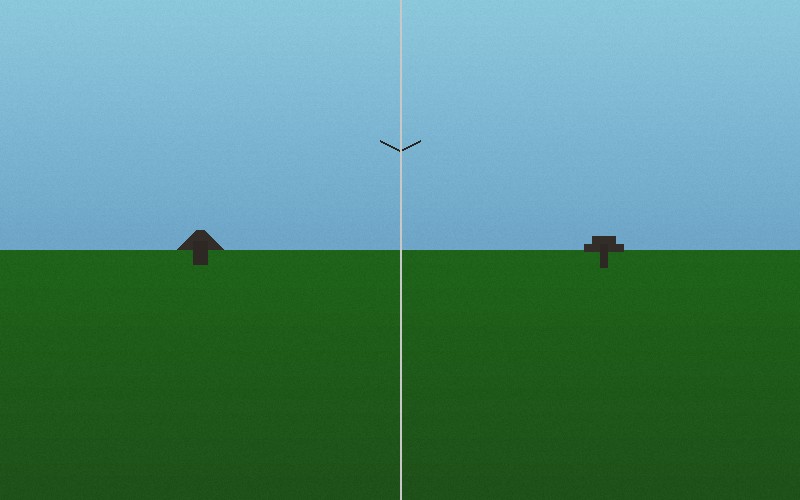
Optical zoom uses glass lenses to physically magnify an image
before it hits the sensor. Every pixel captures real detail.
Digital zoom? That's just cropping.
When your phone says it's "zooming in 5x" digitally, all it's
doing is taking the center of your image, throwing away the
edges, and stretching what's left to fill the screen. You
aren't getting closer to your subject. You're getting
fewer pixels of your subject and then pretending each
pixel is four.
Some modern phones do get clever about this. Computational
photography can use multiple frames, sensor-shift tricks, and
AI to produce "digital zoom" results that are better than simple
cropping. But the physics haven't changed: if the light didn't
hit enough sensor pixels to capture the detail, no amount of
software can put it back. It can only guess.
My advice? If you need to zoom, zoom with your feet. Walk
closer. If you can't walk closer, crop later on your computer
where you can see what you're doing. At least then you keep the
original full-resolution file as a backup.
Upscaling: AI to the Rescue (Sometimes)
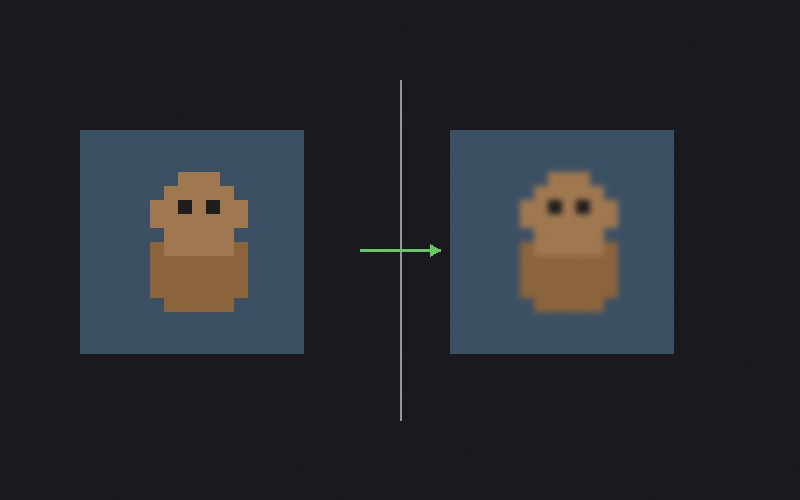
For years, "upscaling" an image was just a fancy word for making
pixels bigger. You'd tell Photoshop to double the size and it
would obligingly create new pixels by averaging the colors of
their neighbors. The result was always a blurry mess.
Then came AI-powered upscaling tools like
Topaz Photo
AI, and the game changed. These tools have been trained on
millions of images, so they can make educated guesses about what
detail should be there. Need to double a photo's
resolution? The AI can synthesize plausible detail—sharpening
edges, adding texture to skin, clarifying text—that looks
remarkably natural.
I use Topaz Photo AI regularly, and the results on moderately
low-resolution images are genuinely impressive. But it has
limits. It's filling in detail that wasn't captured, so
it's making artistic decisions, not recovering lost data. A
100×100 thumbnail of Uncle Bob isn't going to become a
gallery-quality portrait no matter how much AI you throw at it.
And sometimes the AI will confidently add detail that's simply
wrong—extra teeth, shifted features, fictional text on
signs. Always check the output.
Think of AI upscaling like a court sketch artist working from a
witness description. The result can be impressively close to
reality, but it's still an interpretation.
When Resolution Matters (and When It Doesn't)
After all that, here's the practical stuff. When should you
actually care about resolution?
Resolution matters when:
- You're printing photos—especially large prints. Do the
math: pixels divided by 300 equals inches.
- You plan to crop significantly. Cropping throws away pixels,
so the more you start with, the more you can afford to
lose.
- You're archiving family photos or important documents.
Shoot and scan at the highest resolution you can. Storage
is cheap. Lost detail is forever.
- You're shooting for a client or publication that specifies
minimum dimensions.
Resolution doesn't matter much when:
- You're posting to social media. Instagram compresses
everything to roughly 1080 pixels wide. Your 50-megapixel
masterpiece and your phone's 12-megapixel snapshot look
the same in a feed.
- You're emailing photos to family. Nobody's printing Aunt
Carol's birthday party on canvas. Resize to 2000 pixels
wide and save everyone's inbox.
- You're viewing on screen. Most monitors are
1920×1080 or 2560×1440. An image bigger than
your screen doesn't look better on your screen—the
display literally can not show the extra pixels.
The best photograph is never the one with the most pixels. It's
the one that makes you feel something. No amount of resolution
fixes bad composition, harsh lighting, or a thumb over the lens.
Get the shot right first. The pixels will take care of
themselves.