|
By: Paul S Cilwa |
Posted: 9/25/2017 |
|
Page Views: 1,518 |
| Hashtags: #Photography #Techniques #Touchups |
| How to use the clone brush to erase unwanted elements from your photo. |
| Estimated reading time: 3 minute(s) (510 words) |
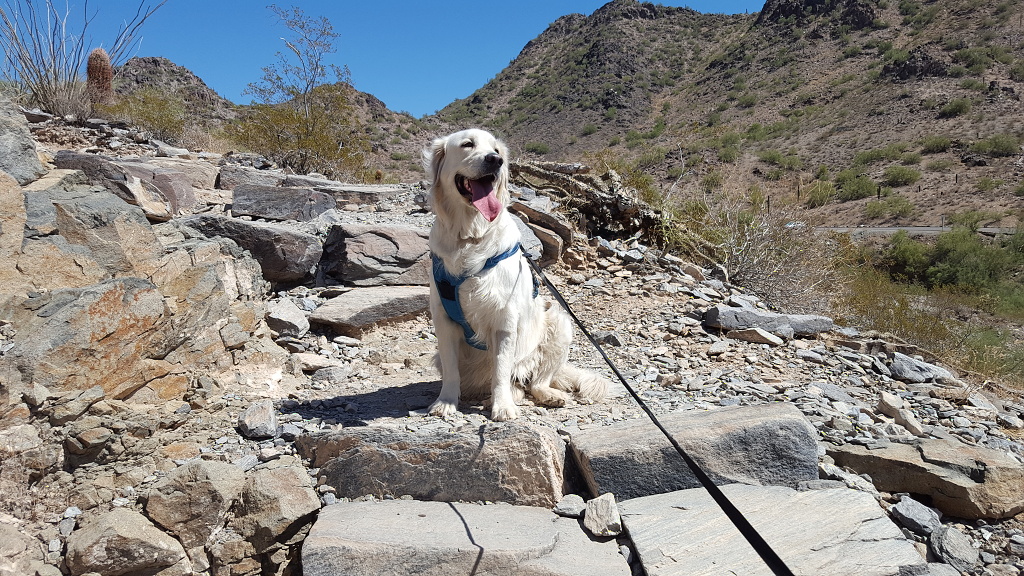
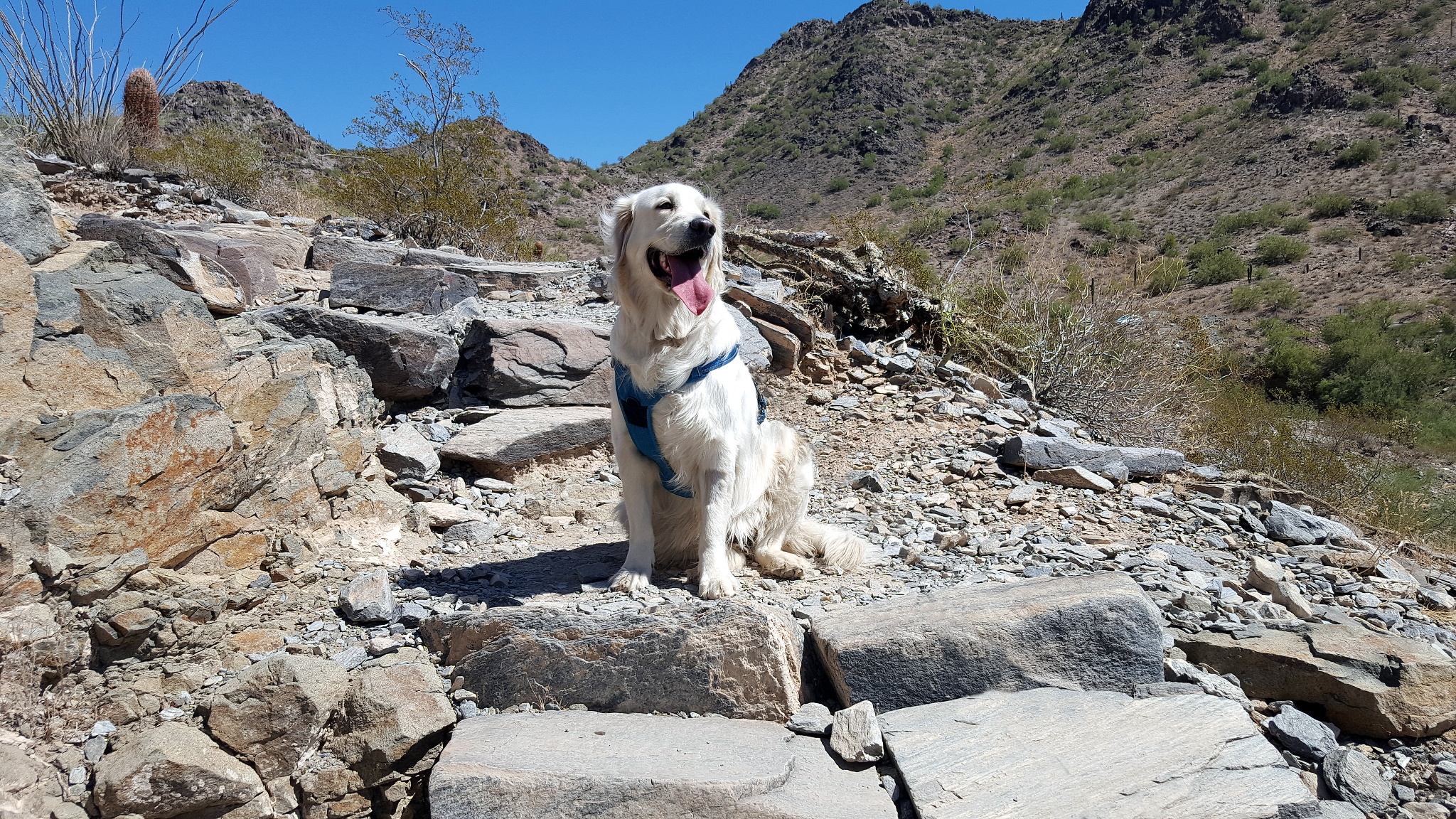
The issue is that I love to take my granddog hiking in the nearby mountain preserves to my house.
However, dogs on those trails must be on-leash. That's fine, except for photos. It seems jarring to
me to take a photo of anyone, human or otherwise, in what appears to be a natural environment,
but tied. So I've developed a skill for photographing Ella on-leash, but making it appear she was not.
The photo editor I use most often is called Zoner Photo Pro, and the tool I'll use to remove
Ella's leash (seen in the above photo) is called the Clone Brush. But nearly every photo editor I've seen
includes a clone brush, usually called just that. The Clone Brush is a tool that picks up whatever occurs
in one part of the picture and copies it to another part of the picture.
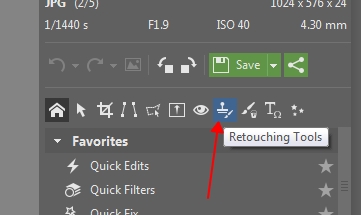
It's usually grouped with various retouching tools
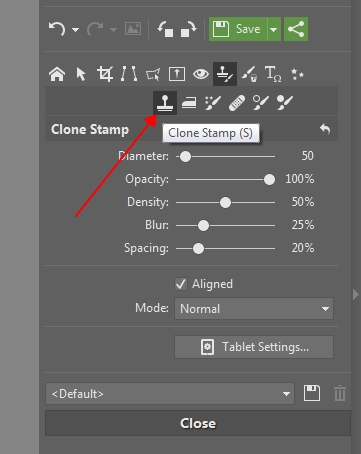
First, you have to set a brush size. My original photo of Ella was over 5,000 pixels wide, so I chose
a brush size of 100 pixels as being wide enough to cover the leash at its widest point. I also chose an
edge blur of 25%. This makes the edges of the edited spots less easy to spot, even if you look for them.
The trick is select as the source section an area as close as possible to the area you want to remove.
Most editors let you select the source section by clicking while holding down the Alt key.
From then on, wherever you click without holding any keys, creates a destination section.
The source and destinations will thereafter track each other, or until you reset the source.
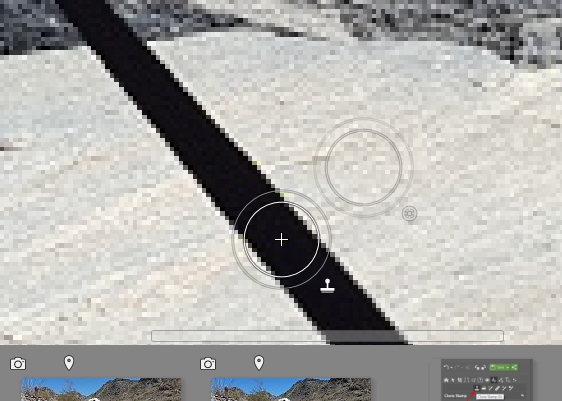
I do a lot of resetting, so as to avoid creating a pattern that a viewer might pick up.
(A rock may not draw attention, but two identical rocks, especially near each other, will
definitely attract attention.)
Anyway, thus set up, you can apparently "erase" the leash without much effort.
(I put "erase" in quotes because what we're really doing is copying a set of pixels
to another area of the photo.)
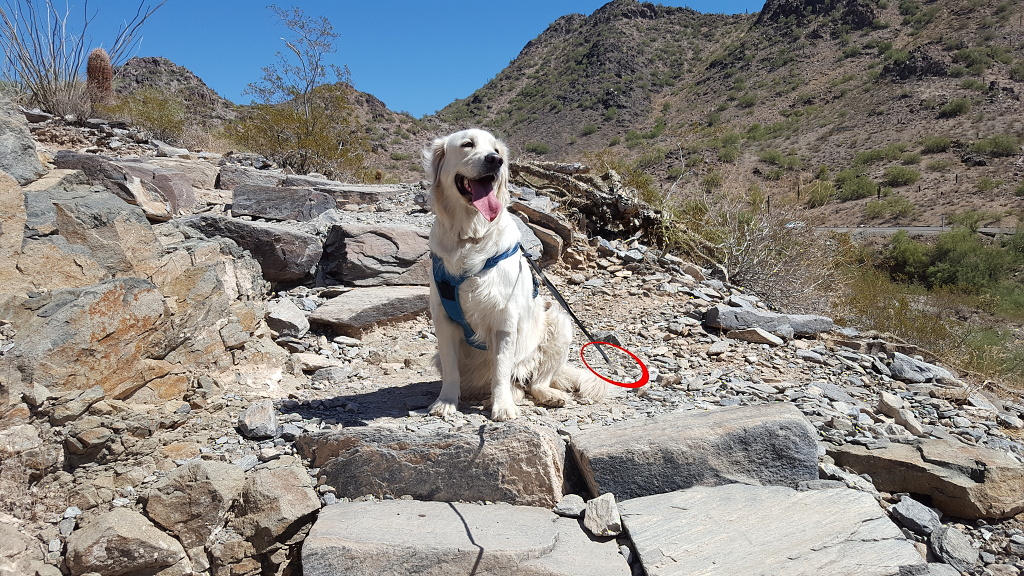
By continually resetting the source to whatever I think should be where the leash was, I can
remove it completely.
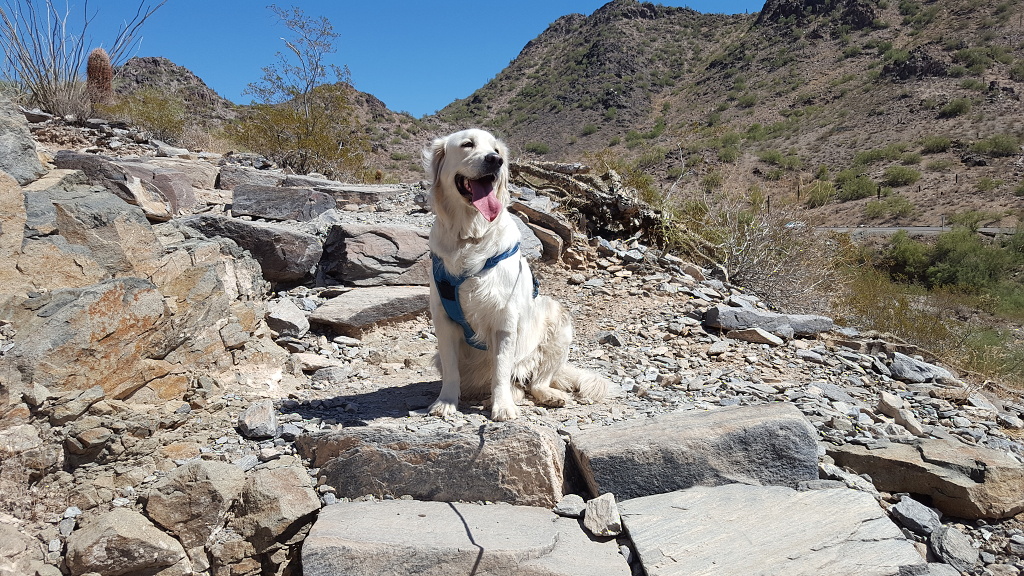
But wait! We're not done. True, the leash itself isn't visible. But its shadow can still
be seen! That has to be removed as well.
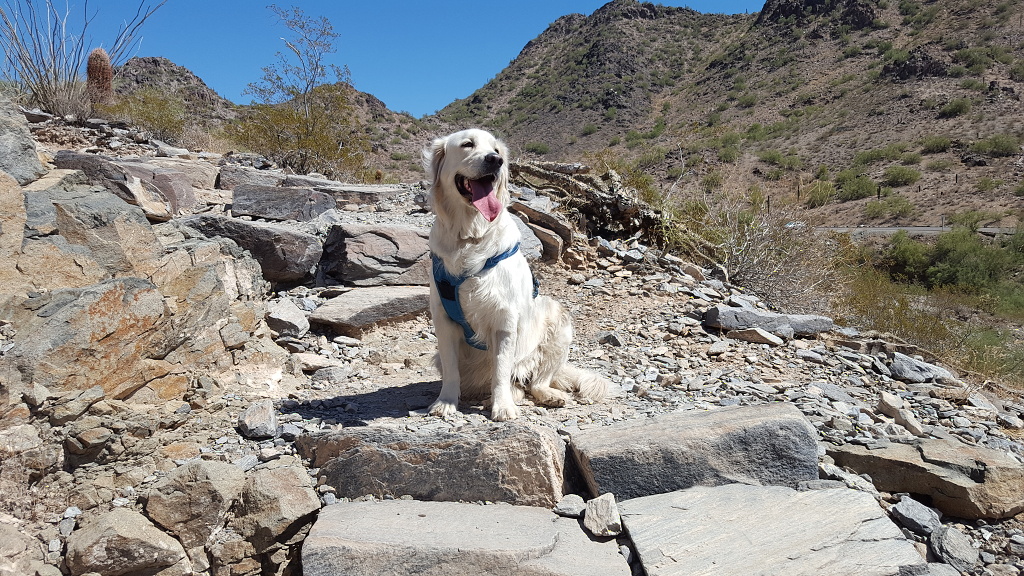
The final step is the usual subtle adjusting of general exposure levels, plus a little
sharpening. And voila! There's Ella, looking like the princess she is, unleashed.