|
By: Paul S Cilwa |
Posted: 10/6/2026 |
|
Page Views: 307 |
| Hashtags: #HTML #CSS #JavaScript #Formatting #Typography #History #Printing #DesktopMinder |
| From run-on Latin inscriptions to modern web design. |
| Estimated reading time: 24 minute(s) (5594 words) |
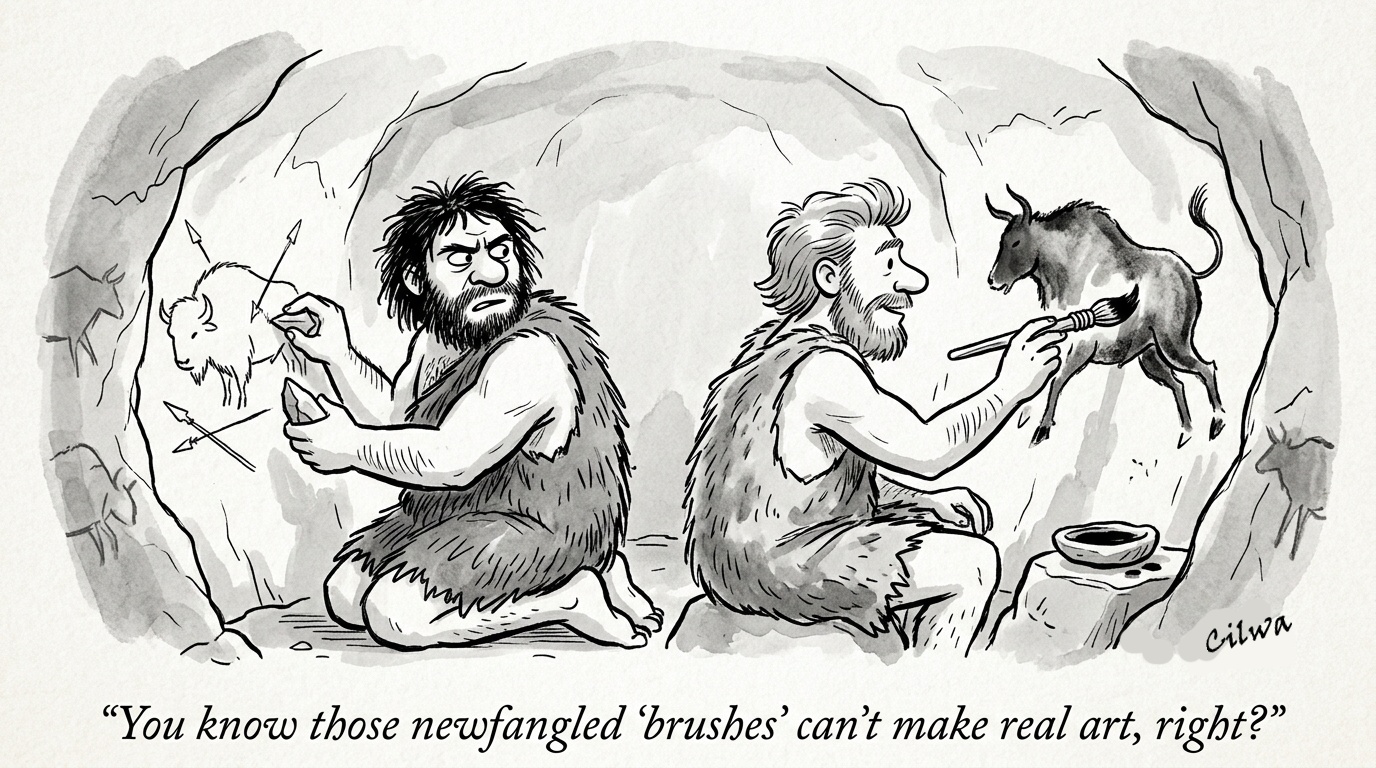
Today, we have several means of expressing how a document looks,
the most common of which is the means used to create this very page:
The coding metalanguages of HTML and CSS. They have competition, but
I believe they will win the ultimate battle for the hearts and minds
of document authors, and I'd like to explain why.
Which, as usual with me, begins with history.
WHYNOSPACESISABADIDEA
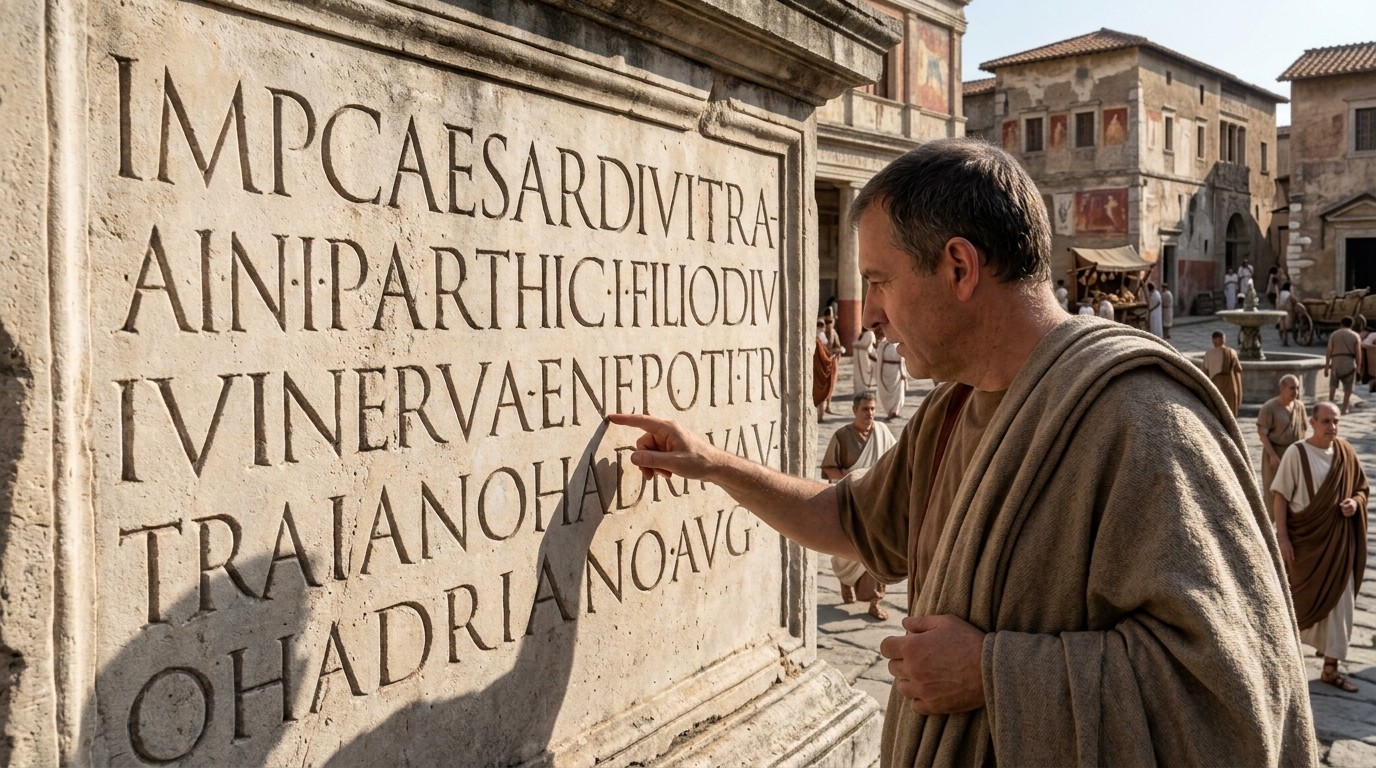
Here is a line of Latin, set the way a scribe might have written it in a
book: GALLIAESTOMNISDIVISAINPARTESTRES. That's Julius Caesar, and it's
the famous first sentence of his account of the Gallic Wars—Gallia est
omnis divisa in partes tres, "all Gaul is divided into three
parts." Anybody who has had a year of Latin can read it…if
the spaces are inserted between words.
(Shoutout to Sister Marie LaSallette, who managed to pronounce Latin with
such a deep Southern accent that Sister Mary George, the following year,
had to re-teach us.)
To be fair to the Romans, it wasn't quite that bad everywhere. Many stone
inscriptions separated their words with a small dot set at mid-height,
which did do the job of a space and looked rather elegant doing it. But by
the time anybody was writing a book—on a papyrus scroll,
then on parchment—even the dots had mostly gone, and the words just ran
together in one unbroken stream, much like a Donald Trump speech. The scholars call it scriptio
continua. And formatting, as a concept, did not exist. There was the
text, and there was the reader's job of making sense of it.
If you'd like a taste of that job, try GODISNOWHERE. It's either a
declaration of atheism or the exact opposite, and the only difference is where
you decide to put the break. A Roman reader had a lifetime of practice
at deciding. He also read aloud, sounding the syllables out until his ear
caught what his eye couldn't, so the reader's voice did the work that
our space bar does now.
In fact, reading aloud was so much the norm that St. Augustine, in his
Confessions, remarks with something like astonishment that he'd
seen Ambrose, the bishop of Milan, reading to himself—silently,
eyes moving over the page, voice and tongue at rest. Apparently,
that was worth writing down because it was so unusual.
The spaces, when they finally arrived, came from an unlikely direction. A
scholar named Paul Saenger has
argued, in Space Between Words, that it was Irish and Anglo-Saxon
scribes, around the seventh and eighth centuries, who began separating
words—because Latin was a foreign language to them, and they
needed all the help they could get. A thing we now take completely for
granted and, in fact, couldn't read without, was invented by people who
didn't natively speak the language. I say, props to them!
What Did the Monks Do With It?
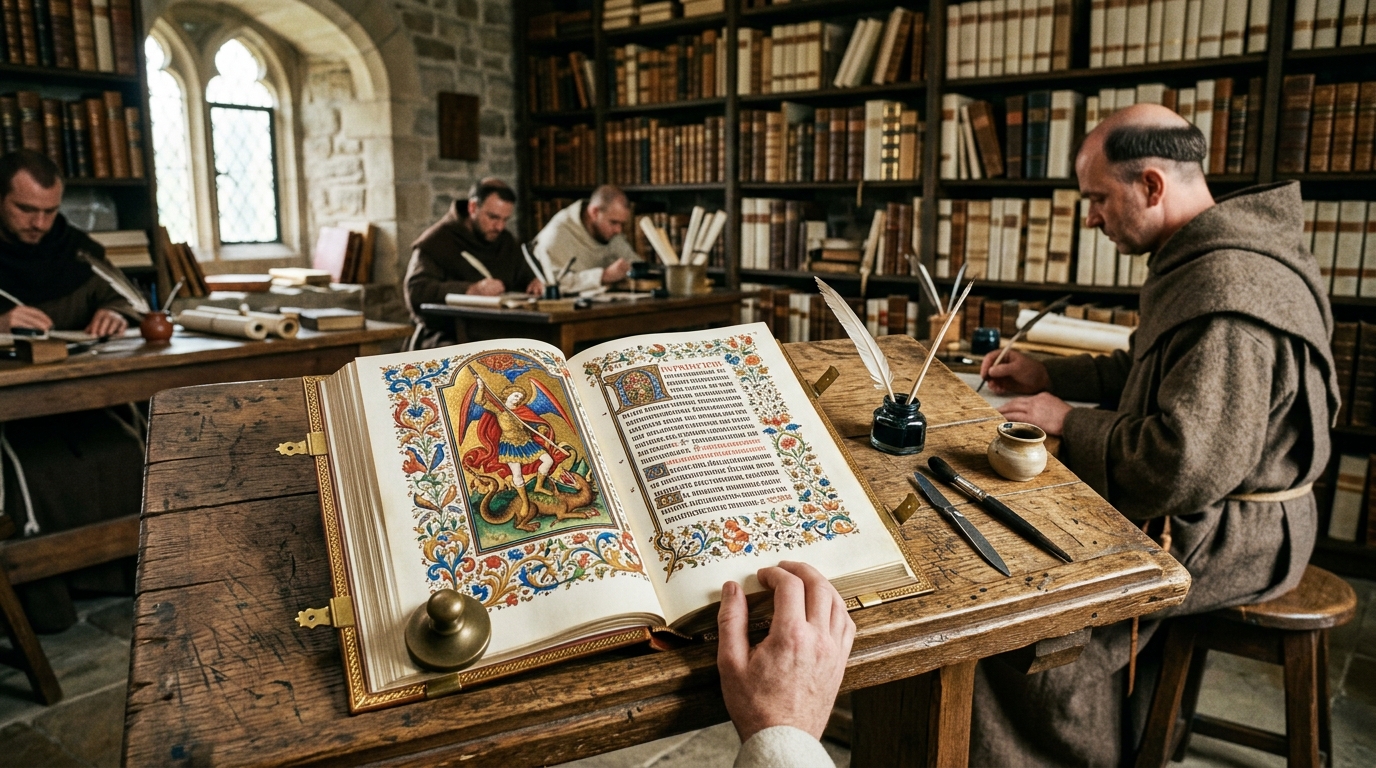
With spaces in hand, so to speak, the medieval monks did what
monks—who had no cable television to distract them—did best:
they turned the page into an art form. Take the Book of Kells, made by
Irish monks around the year 800. A single letter can fill half a page,
woven through with interlaced beasts and knotwork, in colors that are
still startling twelve centuries later. Nobody ever called that
"formatting." But that's what it was.
What strikes me, as someone who spends even his retired life telling computers
how things should look, is that every one of those decisions and their rendering
was made by hand, page by page. There was no stylesheet in the
scriptorium. If the monk wanted a chapter to begin with a big red
letter, he drew a big red letter. If he wanted the next chapter to begin
the same way, he drew it again. The appearance of the page and the words
on the page were one and the same labor.
They also invented a surprising amount of what we still do. Headings set
off in a different color: that's rubrication, and it's where the word
"rubric" comes from. The oversized first letter. And the
pilcrow, ¶, which started life as a C for capitulum,
"chapter," and which now sits behind the Show/Hide button of
your word processor. Turn on the formatting marks in a Word document
some time and you'll find a little monk's chapter mark at the end of
every paragraph.
It was exhausting work. A single Bible could take the skins of well over
a hundred calves, and a scribe might spend years on it. One of them, as
the story goes, left a note in the margin: "Thank God, it will soon
be dark." Which makes it the earliest complaint about formatting on
record.
What Did Gutenberg Change?
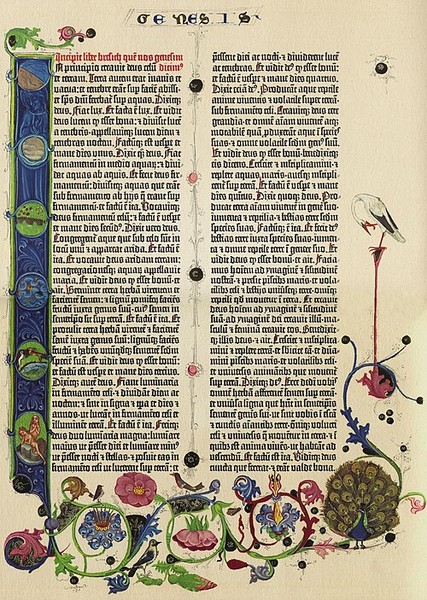
Around 1450, in Mainz, a goldsmith named Johannes Gutenberg put together
a workable system for printing with movable metal type. He wasn't the
first to try the idea, and I want to give credit where it's due. A
Chinese commoner named Bi Sheng was making movable type out of baked
clay around 1040; the Chinese were casting it in bronze and carving it
in wood in the centuries after, and Korean printers were using cast
metal type well before Gutenberg's day. What Gutenberg added was a
system: a mold that could cast identical letters by the hundreds, an
oil-based ink that would stick to metal, and a press to bring them
together. The wonder wasn't that it was fast. The wonder was that it was
uniform: every e on every page came out looking exactly
like every other e.
The popular version of the story says that Gutenberg's pressmen were
stuck with one typeface, one size, and one color, which was black. Henry
Ford's famous line about the Model T—any color you like, as long
as it's black—was anticipated by about 450 years. That much is
true, but the limitation was Gutenberg's own choice, and it was a
deliberate one. He was selling to people who were used to manuscripts,
so he set out to imitate them. His type was a highly regular blackletter
designed to look like the work of a scribe, and it wasn't one alphabet
but about 290 distinct characters, counting the ligatures and
abbreviations that scribes used to save time and space. Every one of
them had to be cast and sorted into its own compartment, and every one
had to be set by hand.
The red headings and decorated initials that the monks had made so much
of were, in most copies, left as blank spaces for rubricators to fill in
afterward, by hand. The world's first mass-produced book needed
formatting, and had to hire monks to do the job. The limitation of one font, one size
and one color didn't last long, because it didn't have to: within a few
decades printers were cutting roman and italic faces, in sizes of their
own choosing, and inks became available in a range of colors.
A printer had certain capabilities. He could lock a woodcut into the page
alongside the type, so an inserted picture was possible, if a little rustic. He
could indent the first line of a paragraph by putting a blank block of
metal in front of it, and he could add space between paragraphs the same
way. And he could do something that the monks had struggled with: make
every line the same length.
Justification was done by hand, line by line,
with thin strips of brass
and lead slipped between the words until the line fit snugly in the
compositor's stick. (Unlike most paragraphs here, this one is justified.)
Then the lines were locked into a frame, inked, and
printed. The compositor kept his capitals in the upper of the two cases
in front of him and the small letters in the lower, which is where
uppercase and lowercase come from. Each page of the Bible
had 42 lines, and a compositor in Gutenberg's shop needed about a day to
set one. Gutenberg started with four compositors and later went to
six.
And a day per page was the theoretical pace. Before the next page could
be set, the type from the last one had to be taken
apart, and every letter sorted back into its compartment. Meanwhile, the
shop was also printing other jobs, such as grammars and indulgences, to
pay the bills. Scholars estimate that the net working time to set the
whole Bible exceeded 400 days, and Cambridge University Library's
analysis notes that the entire project took about three years of labor.
Decide that a heading ought to be bigger, and you went looking for,
or even having to cast, bigger letters.
Notice what that means. Formatting wasn't a property of the text;
it was a property of the job, tied up in physical metal. The
words and their appearance were one object. Hold on to that, because
the idea that they might not have to be was a world-changer.
How Do You Print a Whole Newspaper Every Day?
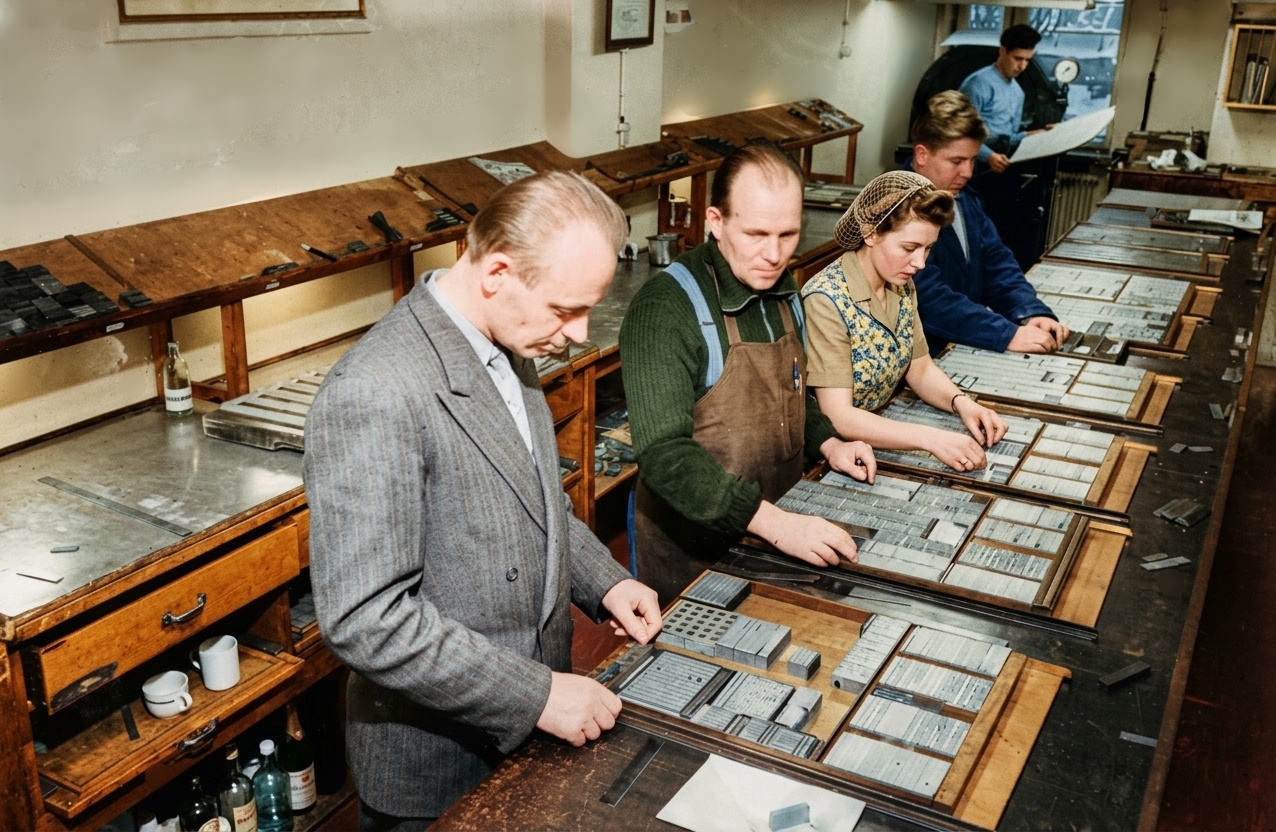
Prior to 1886, setting type for newspapers was a labor-intensive process,
with compositors working by hand to arrange individual letters and words.
As a result, newspapers were small and compositor jobs were many.
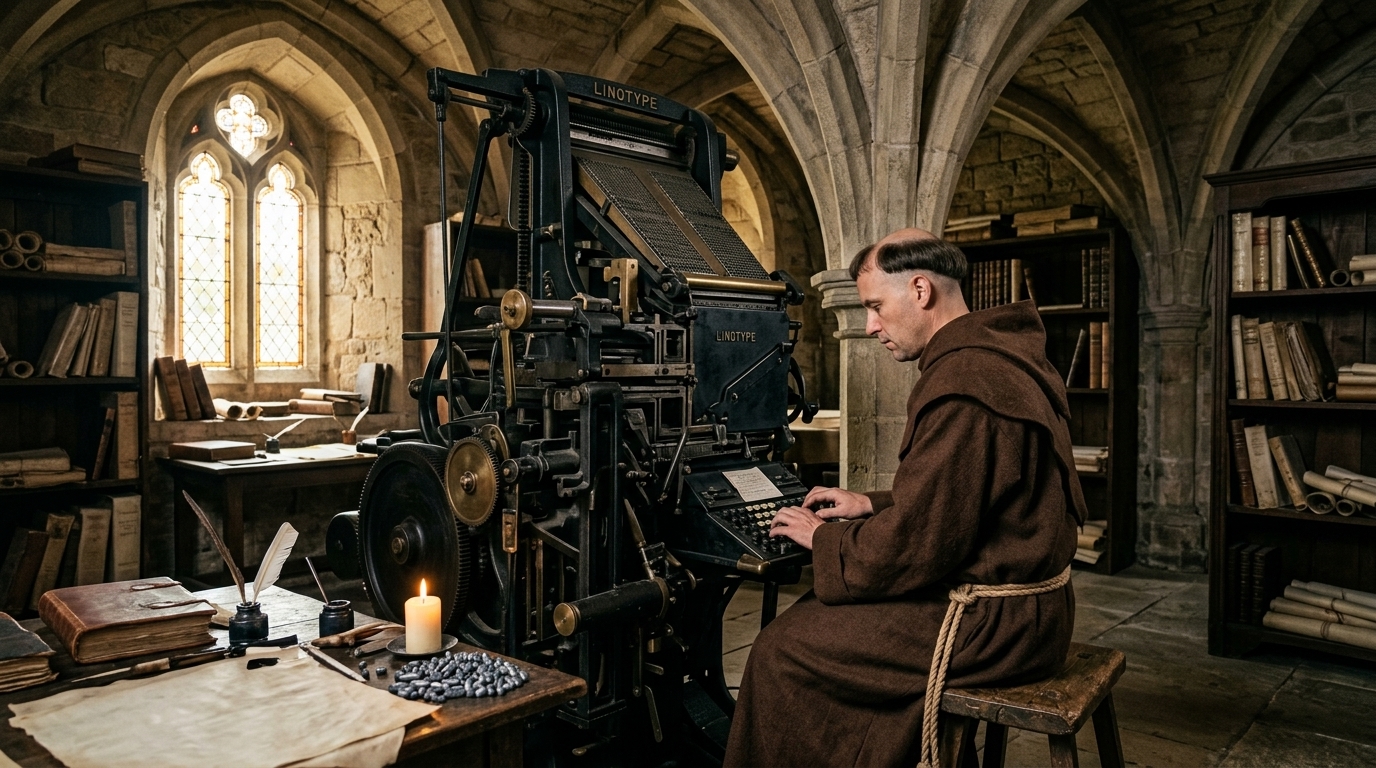
The Linotype machine, invented in 1884 by the German-American
watchmaker-turned-mechanical genius Ottmar Mergenthaler,
revolutionized printing by allowing operators to compose entire lines of type—
line o' type, get it?—in molten metal at astonishing speed.
(There was no Mr. Lino,
of course; the name is simply a practical
contraction of its miraculous function. First deployed by the
New York Tribune, the Linotype transformed newspapers from laborious
hand-set operations into modern industrial enterprises, making daily mass
communication possible. Its ingenious keyboard, brass matrices, and
self-casting mechanism became the beating heart of print shops worldwide
for nearly a century, earning it the well-deserved reputation as the machine
that made the twentieth century readable.
But the change that matters here arrived in the middle of the twentieth century,
and it's called offset printing. Instead of pressing inked metal against
paper, you photograph the page, burn the image onto a thin plate,
and let the plate transfer ink to a rubber roller that does the
printing.
Once the page is a photograph, it no longer matters what composed
the original page. Type, drawings, halftone photographs, and the grain of a
wood-cut could all go on the same plate. And the type itself no longer
had to be metal. It came out of a typesetting machine as strips of
photographic paper, which a paste-up artist cut apart with a razor knife
and pressed down onto a layout board with hot wax. That's where the
phrase "cut and paste" comes from! Ctrl+X represents scissors,
and Ctrl+V is supposed to look like the downward-pointing tip of an
Elmer's Glue bottle.
The result was a newspaper, a whole newspaper full of pages, could be produced
every single day. And the pages had different type styles, different
sizes—the headline in a size you could read from across the
street—italics, bold, columns, photographs, and advertisements
each in its own typeface. Magazines had been printing in full color for
decades, and the newspapers followed. USA Today started splashing
color across its section fronts in 1982, as I recall, and by the 1990s
most dailies had some of their own.
Behind all that was a crew of specialists: typographers, compositors,
paste-up artists, pressmen. They knew the rules of the craft—how
much space between lines, how to avoid a single word stranded at the top
of a column—and the rules lived in their heads and hands. When an
editor wanted something set a particular way, she took a pencil to the
manuscript and wrote the instructions in the margin: 10 on 12
Century, two columns, set flush left. That's called marking up the
copy. Remember the phrase. It's going to come back.
Why Couldn't the Computer Just Do That?
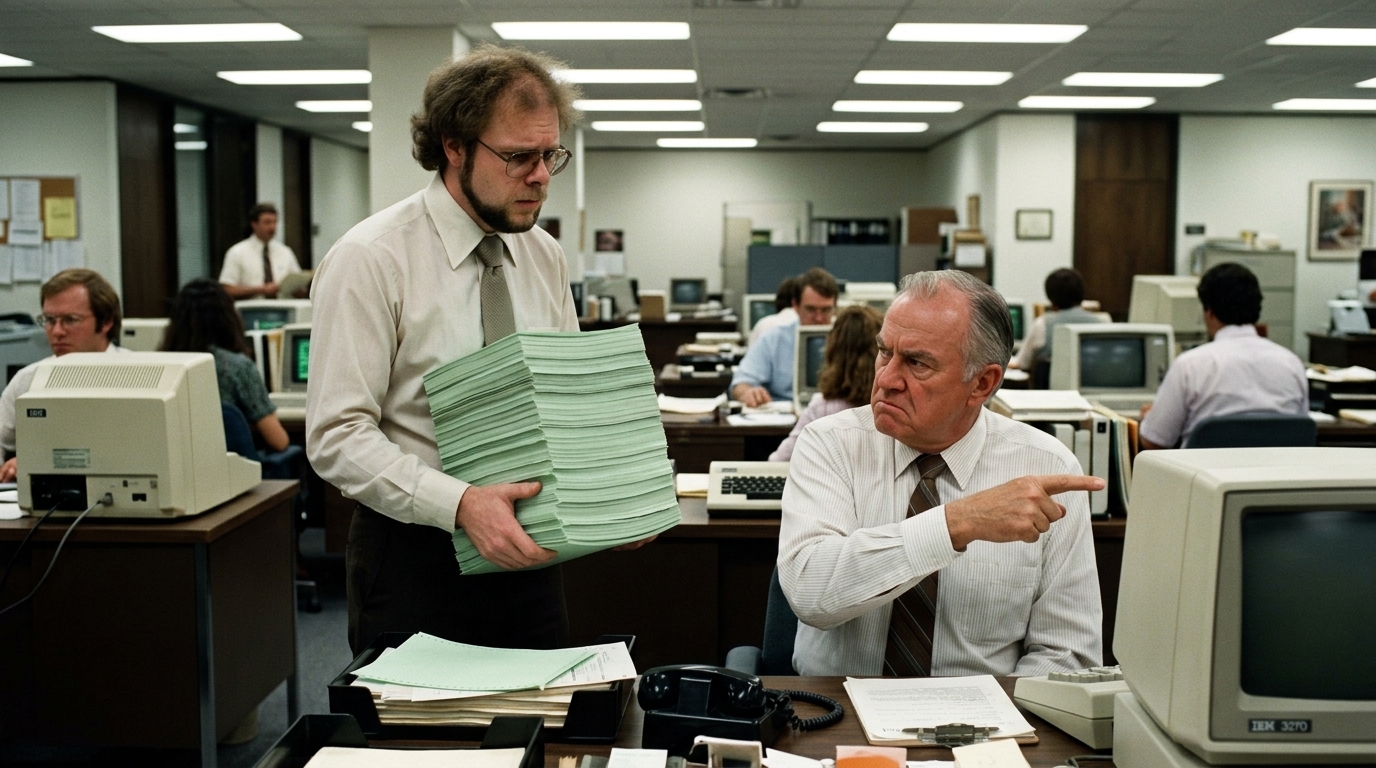
You'd think that the moment computers came along, this would have been a solved
problem. It was the opposite. The first commercial computers were built to do arithmetic.
They could, and did, print reports. (A personal memory: A boss who wanted me to
rewrite a report he'd been getting for years. I did, and he didn't
even look at it--"It's too thin," he said. "It's normally twice that size."
A co-worker whispered later, "He doesn't read it. Just set COPIES=2 on the JCL.
That's what I always do.")
You know the word byte, which today means a collection of a few on-off switches
to hold a number, or a number that represents a letter or other character. Today
a byte is eight of those bits, allowing for numeric values of from 0 to 255…
but originally a byte was 7 bits (0 to 127), which was just big enough
to hold the 128 characters of the ASCII standard character set, plus a few more.
(The 3-letter codes for the control characters, like NUL, BEL, and LF, are still in use today.
NUL means "not a character"; "LF" means "line feed". Even "BEL" still works; it makes
your computer beep.)
| ASCII Character Set |
|---|
| Value | Char |
Value | Char |
Value | Char |
Value | Char |
Value | Char |
Value | Char |
Value | Char |
Value | Char |
| 0 | NUL | 1 | SOH | 2 | STX | 3 | ETX | 4 | EOT | 5 | ENQ | 6 | ACK | 7 | BEL |
| 8 | BS | 9 | HT | 10 | LF | 11 | VT | 12 | FF | 13 | CR | 14 | SO | 15 | SI |
| 16 | DLE | 17 | DC1 | 18 | DC2 | 19 | DC3 | 20 | DC4 | 21 | NAK | 22 | SYN | 23 | ETB |
| 24 | CAN | 25 | EM | 26 | SUB | 27 | ESC | 28 | FS | 29 | GS | 30 | RS | 31 | US |
| 32 | SP | 33 | ! | 34 | " | 35 | # | 36 | $ | 37 | % | 38 | & | 39 | ' |
| 40 | ( | 41 | ) | 42 | * | 43 | + | 44 | , | 45 | - | 46 | . | 47 | / |
| 48 | 0 | 49 | 1 | 50 | 2 | 51 | 3 | 52 | 4 | 53 | 5 | 54 | 6 | 55 | 7 |
| 56 | 8 | 57 | 9 | 58 | : | 59 | ; | 60 | < | 61 | > | 62 | ? | 63 | @ |
| 64 | A | 65 | B | 66 | C | 67 | D | 68 | E | 69 | F | 70 | G | 71 | H |
| 72 | I | 73 | J | 74 | K | 75 | L | 76 | M | 77 | N | 78 | O | 79 | P |
| 80 | Q | 81 | R | 82 | S | 83 | T | 84 | U | 85 | V | 86 | W | 87 | X |
| 88 | Y | 89 | Z | 90 | [ | 91 | \ | 92 | ] | 93 | ^ | 94 | _ | 95 | ` |
| 96 | a | 97 | b | 98 | c | 99 | d | 100 | e | 101 | f | 102 | g | 103 | h |
| 104 | i | 105 | j | 106 | k | 107 | l | 108 | m | 109 | n | 110 | o | 111 | p |
| 112 | q | 113 | r | 114 | s | 115 | t | 116 | u | 117 | v | 118 | w | 119 | x |
| 120 | y | 121 | z | 122 | { | 123 | | | 124 | } | 125 | ~ | 126 | ~ | 127 | DEL |
So printing was limited to very plain text: letters, digits, punctuation, a total of 128
characters in the ASCII standard, and not one of them meant
bigger or italic. A text file has no idea what a font is.
If you wanted emphasis you typed ALL CAPS, or *asterisks*, or
_underscores_—conventions that survive in text messages to this day,
because we never really solved it there, either.
The first fix wasn't software at all. IBM made a typewriter that could
justify in 1967; by 1971, when I met one, it had probably been around for a few
years. You typed your paragraph once, and the machine worked out a
number from it; you keyed that number in, and then you typed the
paragraph again, and out it came with both margins straight, like
a page in a book. I used one for the student newsletter at St. Johns
River Junior College, and I can tell you it felt like magic, right up to
the moment you found a typo in the first pass and had to start over.
The next fix was to do what the editors had always done: mark up the
text. You typed your words and, scattered among them, commands that told
a formatting program what to do with them. The programs had names like
RUNOFF, troff, TeX, and, from IBM, SCRIPT. A SCRIPT-style file looks
something like this:
.ce
THE LONG ROAD
.sp 2
.in 5
All Gaul is divided into three parts, one of which
the Belgae inhabit, the Aquitani another...
A line that begins with a period (which no real text would ever do)
isn't text at all; it's an instruction.
Center the next line. Skip two lines. Indent five spaces. You got
exactly what you asked for—but you couldn't find out what that was,
until you printed it.
I know this world well, because I adapted IBM's SCRIPT for the Tandem
NonStop computers, the fault-tolerant machines built so that banks and
stock exchanges could keep running no matter what broke. I called my
version TSCRIPT, in 1981, and I donated it to TUGLIB, the Tandem users'
group's library of free software. It was a decent tool, and it taught me
what every markup language teaches: you can have anything you can
describe, and you'll find out whether you described it right after the
page comes out of the printer.
Surely, by now, you've at least heard of HTML. Now you know
what it is: a markup language that describes what a thing is,
not what it means. With "thing" maybe being text, but it could
also be a picture, a video, or a sound. Technically I suppose it could
be a rock, if you found a way to digitize one.
Anyway, in the late '70s and early '80s came the dedicated word processors, which
I used, too: machines that did nothing but word processing, and
stored your document on a disk that only that brand of machine could
read. Then came the personal computer, and things changed in a way that
made them, for a while, worse. WordStar. WordPerfect, with its famous
Reveal Codes. Microsoft Word. On the Macintosh, with a laser printer and
PageMaker, desktop publishing. For the first time, what you saw
on the screen was what you got on the paper. But every program kept its
documents in its own secret format, and you needed the program to read
the file. While some upper-class programs allowing importing from
the format of a competitor, opening a WordPerfect file in Word or vice versa
was a game of chance. And every one of them was built around a sheet of
paper, an 8½-by-11 rectangle on a screen—which is, you'll
notice, a printer's idea.
Adobe's answer to the incompatibility, in the early 1990s, was PDF, which
solved the problem by taking a picture of the page. It's faithful, and
it's frozen. Try reading one on your phone. Everything we had tried either
let you say how a document should look but locked it up in somebody's
file format, or kept it open and plain but said nothing about the look.
What we needed was both: open, readable by anyone, described in terms of
what things are, with a separate way of saying how they
look. Preferably with both the text and the markup being
easily interpreted by human readers.
What Was HTML Supposed to Be?

HTML was invented by Tim Berners-Lee, a physicist at CERN, the European
particle-physics laboratory. He proposed the World Wide Web in 1989 and
had a working browser and server by the end of 1990. His problem wasn't
beauty. It was that physicists on different kinds of computers needed to
share documents and link them together. The first public description of
HTML, in 1991, listed about eighteen tags: headings, paragraphs, lists,
and the anchor that makes a link a link.
He didn't start from a vacuum. HTML borrowed its angle brackets from SGML,
the standard I mentioned a moment ago. Dan Connolly wrote the first formal
definition of it and shepherded HTML 2.0 into being in 1995, and in 1993
a browser called Mosaic, from Marc Andreessen's team, added the
img tag, so a page could finally have a picture on it.
Before that, the Web was all and only words, if you can imagine that!
The big idea hidden in HTML is the one GML had: it says what a thing
is, not what it looks like. This is a paragraph.
This is a heading.
This is a list - and
- these
- are
- its
- items.
How those things look depends on the browser, the operating system, and the device:
a big window, a tiny phone, or a screen
reader speaking the page to someone who can't see it.
Here is a complete
little page in HTML, and underneath it, what your browser shows when
it's given nothing else:
<h1>All Gaul</h1>

<p>Gaul as a whole is divided into three parts. The people
of the third part are called Celts in their own language
and <i>Gauls</i> in ours.</p>

<ul>
	<li>The Belgae</li>
	<li>The Aquitani</li>
	<li>The Celts</li>
</ul>

<p>Read more about the <a href="https://en.wikipedia.org/wiki/Gallic_Wars"
target="_blank">Gallic Wars</a>.</p>
That's what the early Web looked like. Black type in Times Roman, on a
gray background (in the early browsers, anyway), with blue underlined
links, and a headline in a size nobody had asked for. Every page looked
much like every other, and none of its authors could do a thing about
it. That was fine for physicists. It was a problem for everybody
else.
Netscape's answer, in 1995, was to bolt on tags that did say how
things should look: font, center, and (heaven help
us) blink. Web designers started laying out entire pages
using invisible tables and one-pixel transparent pictures as spacers. A
heading might look like this:
<p><font face="Arial" color="red" size="+2"><b><i>Welcome to my page!</i></b></font></p>
That is the monk with the red ink all over again: the appearance stuck to
every paragraph, by hand. If you decided red should be blue, you edited
every page of the site, and those of us who built websites in that era
remember it with the fondness a veteran has for a long march.
(I've done both.)
What Does CSS Add?

CSS was invented by Håkon Wium Lie, who also worked at CERN, and
who proposed "Cascading HTML Style Sheets" in October of 1994.
Bert Bos, who had been working on a similar idea, joined him, and the
W3C published CSS1 as a standard in December of 1996.
"Cascading" means that several sets of style rules—the
page author's, the reader's, the browser's own—can apply to the
same paragraph at the same time, with a defined order for deciding who
wins.
The big idea is the one the printers never had: separate the text from
its appearance. HTML says what things are. CSS says how they look.
The words live in one file and the look usually lives in another where it
can be shared by all pages in the same site, and the same
words can wear different looks on different days.
Here is the paragraph in the Latin that started this whole essay. It's an
ordinary paragraph: the only thing I did to it was give it a class,
which is nothing more than a name of my choice; in this case, Fancy.
Gallia est omnis divisa in partes tres, quarum unam incolunt
Belgae, aliam Aquitani, tertiam qui ipsorum lingua Celtae, nostra Galli
appellantur. (All Gaul, taken as a whole, is divided into three
parts: one the Belgae inhabit, another the Aquitani, and the third those
who in their own language are called Celts, and in ours, Gauls.)
Here is the entire HTML for that paragraph:
<p class="Fancy">Gallia est omnis divisa in partes tres, quarum unam
incolunt Belgae, aliam Aquitani, tertiam qui ipsorum lingua Celtae,
nostra Galli appellantur. <i>(All Gaul, taken as a whole, is divided into three
parts: one the Belgae inhabit, another the Aquitani, and the third those
who in their own language are called Celts, and in ours, Gauls.))</i></p>
Notice that nowhere in there does it say anything at all about a big G,
the typeface, the background color—none of that!
It's the CSS that pretties it up; and I bet if you actually try to read it,
you'll be surprised at how much of it you understand.
p.Fancy {
	font-family: Georgia, "Times New Roman", serif;
	font-size: 14pt;
	line-height: 1.5;
	text-align: justify;
	color: black;
	background-color: oldlace;
	border-left: 6px double brown;
	padding: 12pt 18pt;
}

p.Fancy::first-letter {
	float: left;
	font-size: 56pt;
	line-height: 0.8;
	padding-right: 8pt;
	color: brown;
}

p.Fancy::first-line {
	font-variant: small-caps;
	letter-spacing: 1px;
}
Read it as a list of wishes. The first rule says: a paragraph of class
Fancy should be set in Georgia, or Times if the reader
doesn't have Georgia, or any serif face at all if they have neither; at
fourteen points, with a line and a half between the lines; justified, so
both margins are straight; in black, on an "old lace" colored background, with a double
brown rule down the left side and some room to breathe around the text.
The second rule reaches inside the paragraph and says: the first
letter should be four times as large, and float to the left so the
text wraps around it. (That's an illuminated initial. The third says: the
first line should be entirely in small capitals.
That's all it takes, now, to simulate an illuminated manuscript!
Okay, I don't want to oversell it. The Book of Kells is better. But a paragraph
like this would have taken a monk a week and took me about a glass of diet soda, and the
next one will take me nothing, because the rules will apply to every
paragraph of that class, whether there's one on the page or a
thousand. And if I share the stylesheet, I can apply the same look to
every page on the site.
Yes, the CSS doesn't have to share the page with the text. It can live in a file
of its own, and, in general, that's where it should live. This website runs on about
twenty small stylesheets, in a folder called Design/Styles: one
for colors, one for fonts, one for the sidebar, and one called
Print.css that makes any page of the site come out sensibly on
paper. None of my actual text here contains a single instruction about
color. If I change the color scheme, I change one file, and every essay
on the site changes with it. Try that with a Word document. —Then try it with
two hundred!
The same trick works in reverse. The same page can be given a stylesheet for a
desktop monitor, another for a phone, another for a printer,
and—I'm serious—another for a screen reader. The text never
changes. For example, if I wanted that paragraph to lose its "old lace" background
when you print it, and save you the ink, all I would need to add is:
@media print {
	p.Fancy { background-color: white; }
}
If you are very old (like me), you might remember in the early days of smartphones,
to visit a website you had to use a special URL, like m.example.com
or mobile.example.com, to get a page formatted for your phone.
Well, that was before the days of CSS media queries. This very site was one
of the first on the internet to make use of them.
CSS is also what gives us a "responsive" design. Your upright phone is a completely
different shape and size than that of your desktop monitor, and CSS can sense that
and change the layout accordingly. Things can move around, shrink, or even disappear,
depending on the size of the window, and without losing the "look" of the site.
Unless you want it to.
And What Is JavaScript Doing Here?

If HTML supplies the nouns and CSS the adjectives, JavaScript is the
verbs. It was written by Brendan Eich at Netscape in May of 1995, in
about ten days, by his own account. It was first called Mocha, then
LiveScript, and then JavaScript, for marketing reasons, since Java was
the hot new thing; as the old line goes, Java and JavaScript are related
the way a car and a carpet are.
What it adds is behavior. A printed page sits there. A page with
JavaScript can respond to you. Here's the Latin again, with a
button:
Gallia est omnis divisa in partes tres, quarum
unam incolunt Belgae, aliam Aquitani, tertiam qui ipsorum lingua Celtae,
nostra Galli appellantur. (All Gaul, taken as a whole, is divided
into three parts: one the Belgae inhabit, another the Aquitani, and the
third those who in their own language are called Celts, and in ours,
Gauls.)
Press the button and the paragraph gets undressed; press it again and the
robes go back on. Nothing was fetched from a server. The words didn't
change. One word in the paragraph's class attribute went away and came
back, and the CSS did the rest. Here is the whole of it: a button, and
one small function:
<button type="button" onclick="Dress()">Dress / Undress</button>

function Dress() {
	document.getElementById('Dressed').classList.toggle('Fancy');
}
The function reads like a sentence: find the thing called Dressed, and
switch its class Fancy on or off. That's the entire idea, scaled up.
Pages that check your form before you send it. Maps you can drag. Games.
And editors: Google Docs and its cousins are word processors written
largely in JavaScript, running inside a browser tab.
In fairness, a document that can run programs deserves some suspicion;
JavaScript is also how a lot of advertisers track you. But nuance is the
point: the formatting I'm recommending needs only HTML and CSS.
JavaScript is optional. A letter or an essay or a book doesn't need a
single line of it; but when you do want a page to do something,
it's there.
So Why Am I Suddenly Telling You All This?
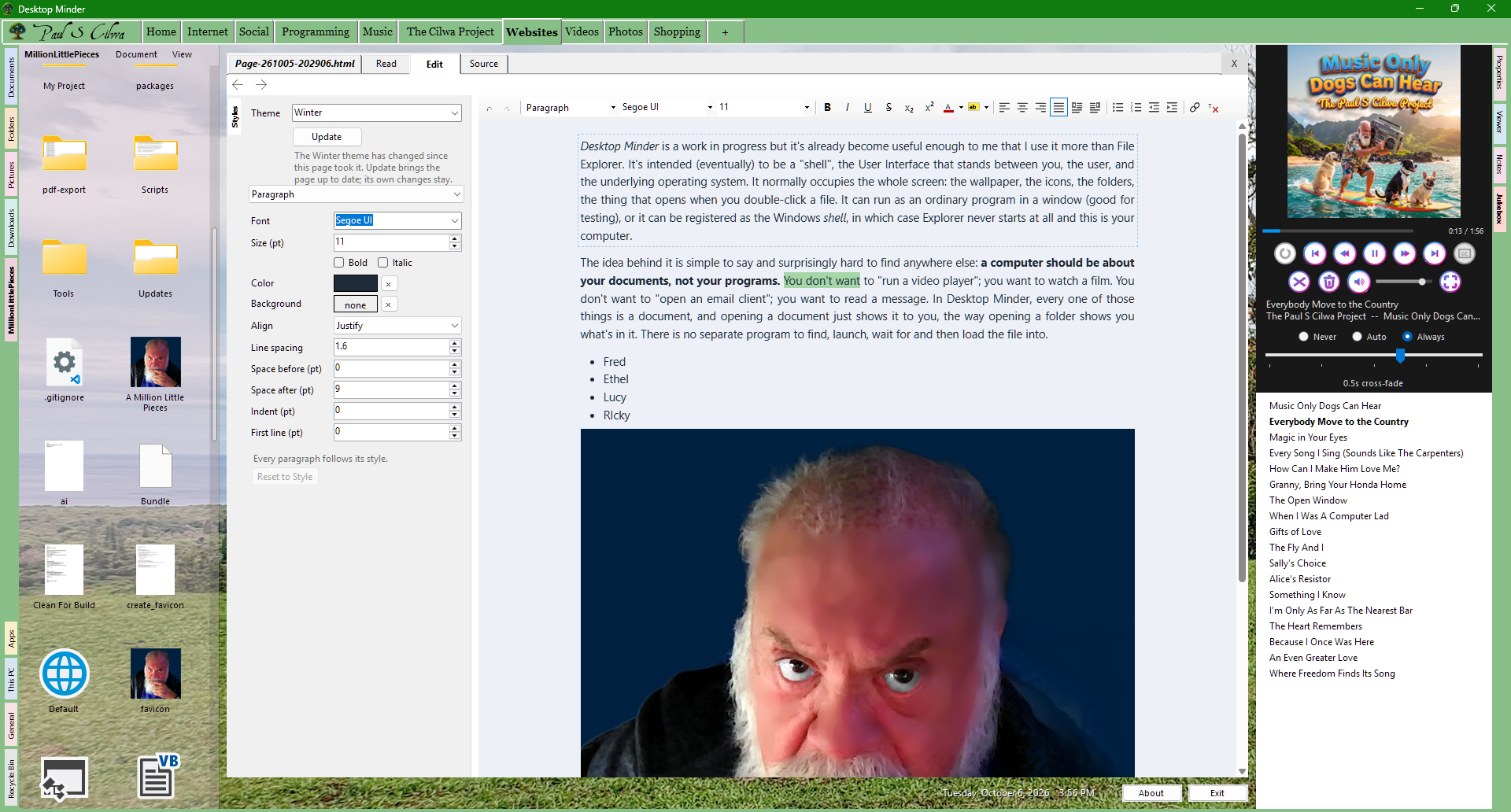
Because of Desktop Minder,
my newest project. It is meant to be, eventually, a replacement for the
Windows desktop and File Explorer, built around the idea that a computer
should be about your documents, not your programs. And a
document-centric computer needs a way to write documents. Desktop
Minder's built-in editor will support fully formatted, compound
documents—text and pictures together, with headings, lists,
emphasis and so on—and its native language is HTML and CSS.
Native is the important word. A document you write in Desktop
Minder is not locked in a format that only Desktop Minder understands.
It's an HTML file with a stylesheet, with its pictures sitting beside
it. You can open it in any web browser. You can open it in Notepad and
read the words. You can put it on a website without converting a thing.
And in the year 2056, there will still be a program somewhere that can
open it, because it's the format the entire Internet is made of.
Today, honestly, the editor is only part of the way there. A web page
gets a Read tab, an Edit tab that lets you click a
paragraph and change just that paragraph, with a toolbar for styles,
emphasis and lists, and a Source tab for people who like to see
the markup. The rest—pictures and text together, the whole
document-as-page—is what I'm building toward. You can see where
things stand on the Text page.
Note that the editor keeps the page free of scripts while you write.
That's by design: your documents need HTML and CSS, and almost never
need the third thing.
So here's the argument, start to finish. Latin gave us letters and no
spaces. The monks gave us formatting, one page at a time and by hand.
Gutenberg gave us uniformity and took away the color. Offset printing
gave us the daily newspaper, and the typographer's marked-up manuscript
gave us the word markup. The computer gave us plain text, then
markup languages, then word processors, each of which solved half the
problem and locked the other half in a box. HTML says what the thing
is. CSS says how it looks. JavaScript, if you want it,
says what it does. They are open, free, readable by anyone, and
supported on just about every computer, phone and television built in
the last thirty years.
Are they perfect? No. Printing a long document in precise pages is still
something the old word processors do better, and CSS has plenty of
quirks. But everything else has already been tried, and this is the one
that kept winning. For every document I write from now on, I'm going
with HTML and CSS. And, you'll be happy to hear, the spaces are
included.